
Database tooltips
Add Metabattle database tooltips to your own site: one script, and every link to an item shows its card when hovered.
Try it
Rest your mouse on any of these, just as visitors would on your site.
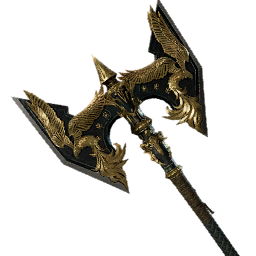
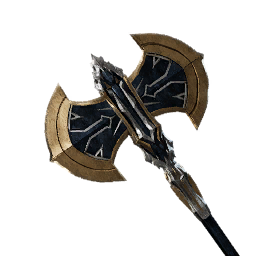
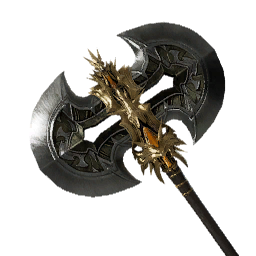
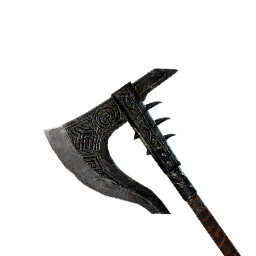
Our current favourites are Ayamur, Netherbound Battle Axe, Doomshadow Battle Axe and Beastly Battle Axe.
1. Add the script
Put this in the <head> of your pages:
<script async src="https://metabattle.com/tooltips.js"></script>
2. Link to the database
Any link to an item's page in the database or the crafting calculator then shows the item's card when hovered, with nothing else to add. Links added to the page later work too.
<a href="https://metabattle.com/chrono-odyssey/tools/database/items/11123509-ayamur">Ayamur</a>
Anything else, such as an icon, can show an item's tooltip by naming the item's page in data-metabattle-tooltip:
<img src="…" data-metabattle-tooltip="https://metabattle.com/chrono-odyssey/tools/database/items/11123509-ayamur">
Settings
To change how the tooltips behave, set them before the script. delay is how long the cursor rests on a link before its tooltip shows, in milliseconds (150 by default). scale changes the tooltip's size (1 by default).
<script>
    window.metabattleTooltips = { delay: 150, scale: 1 };
</script>
To leave a single link without a tooltip, add data-metabattle-tooltip="false" to it:
<a href="…" data-metabattle-tooltip="false">No tooltip here</a>
Good to know
- Tooltips show on computers with a mouse; on phones and tablets, links simply lead to the item's page.
- The tooltip keeps its own look, whatever your site's styles, and doesn't change how your page looks.
- Items and recipes have tooltips for now; a recipe's shows the item it makes.